Clearing cases with CaseBuilder (formely ShotSpotter Investigate)
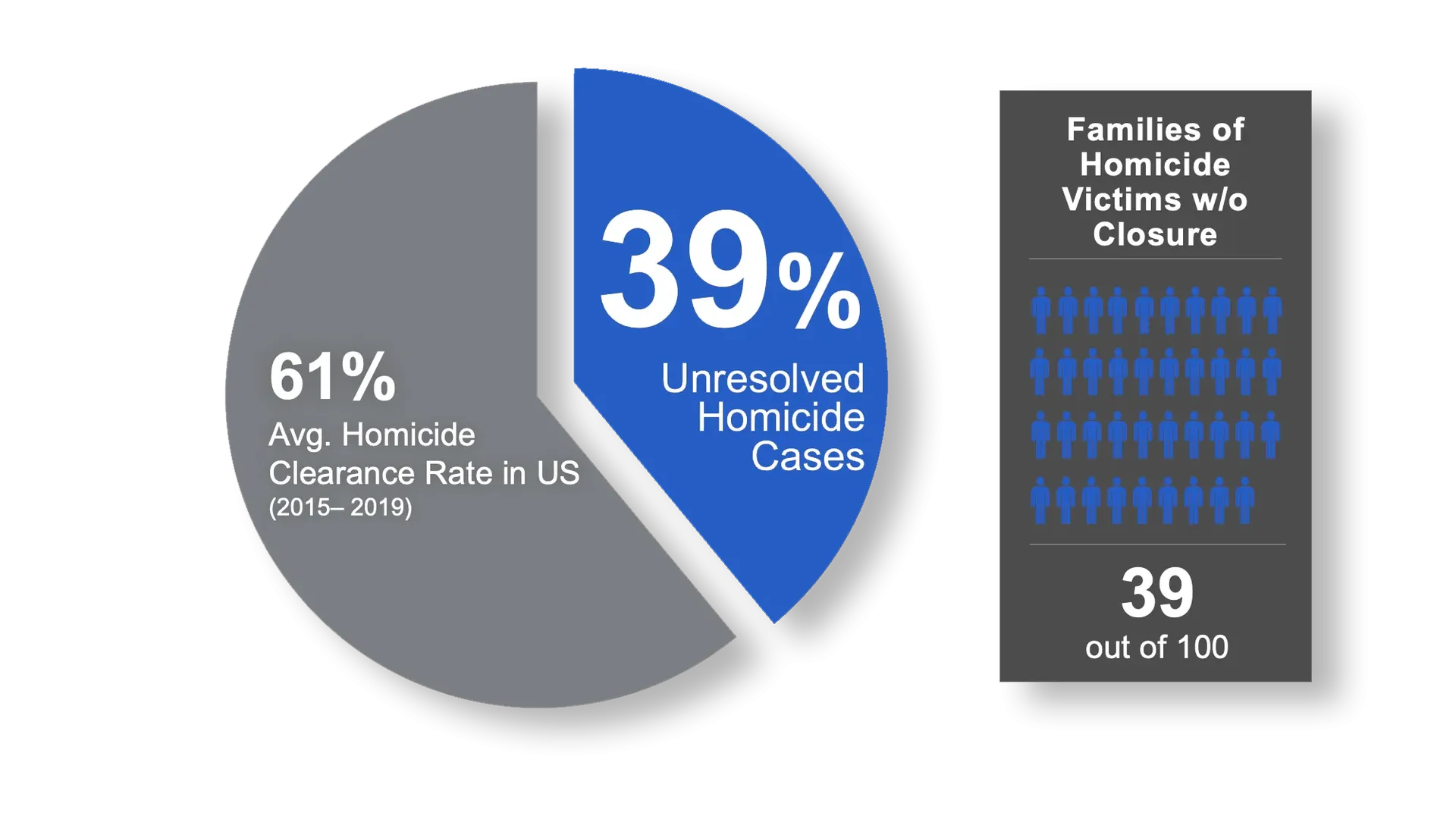
THE CHALLENGE FOR LAW ENFORCEMENT

Traditional Investigation Management Systems are Limited

Source: FBI UCR data 2019

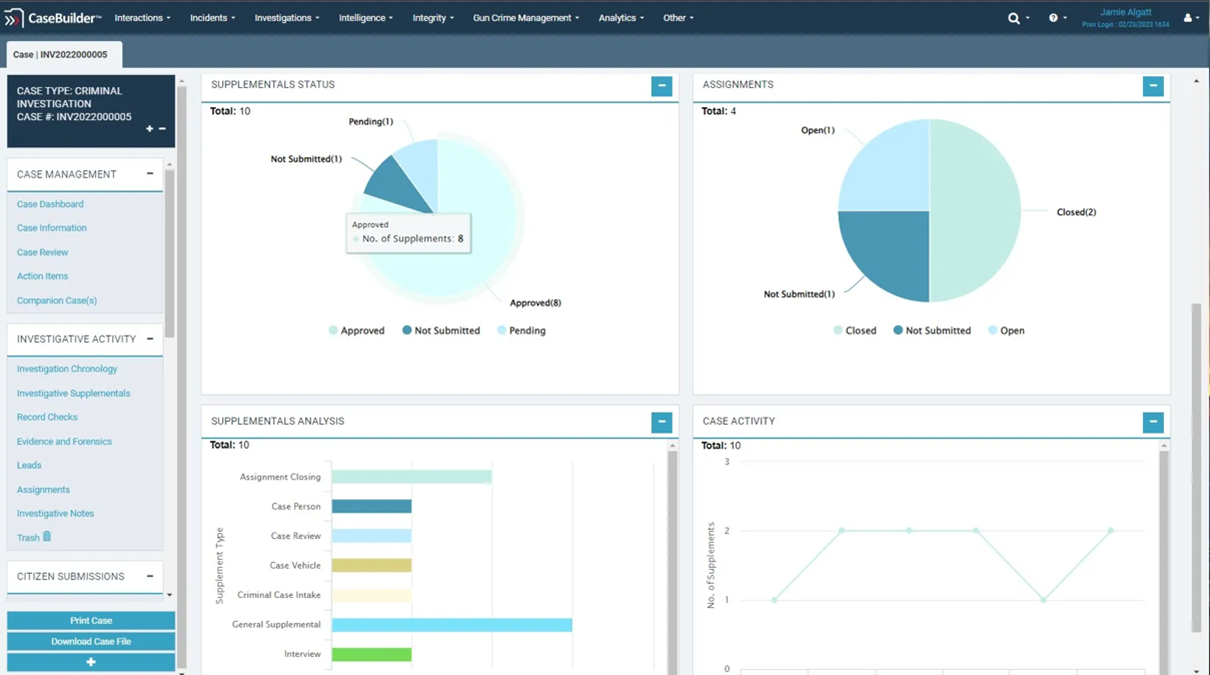
Paper-based processes, homegrown systems and under-powered RMS modules lack the key investigation management functionality you need to get serial offenders off the streets and bring closure to victims and families. Give your agency the tools it needs to capture, track, collaborate and solve investigations by automating case management with CaseBuilder (formerly ShotSpotter Investigate).

CaseBuilder Offers a Proven Approach

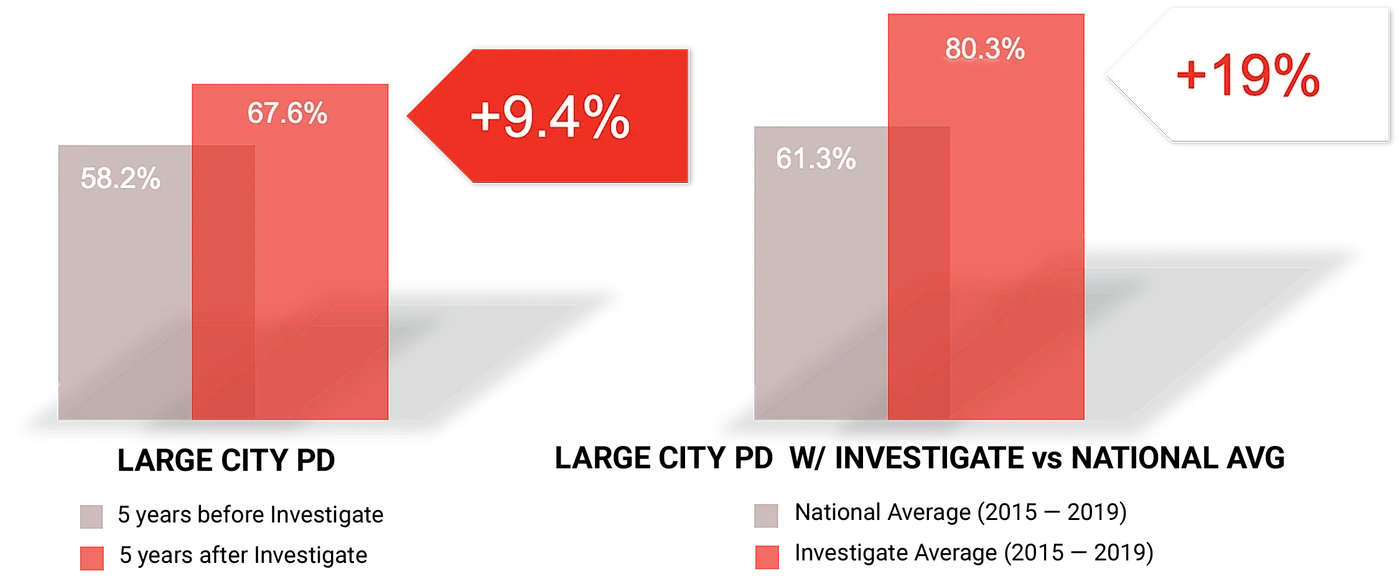
Research proves that investigation management software contributes to an improvement in clearance rates. CaseBuilder helps law enforcement agencies capture, track and collaborate on investigations from a single, shared digital case folder. The platform’s investigative, analytic and reporting tools make detectives more efficient and effective – from the office or the field – moving investigations forward. So, law enforcement agencies of any size can achieve higher clearance rates, especially for violent crimes.

Source: FBI Homicide Best Practices Research Report, 2011

CaseBuilder helps guide our investigatory process and organizes case information efficiently.   It creates a chronological case index that ensures consistency across the work performed by the agency.  Our original focus was for fugitive case management, but we quickly realized the benefits of using the other modules that come with CaseBuilder for managing calls for service, arrests and administrative functions.  The technological support we receive is responsive, timely and highly effective.   Change proposals are quickly addressed, and collaborative solutions are configured and implemented efficiently.

CaseBuilder's Innovative Approach to Investigation Management

Icon M cloud store download upload structure icon

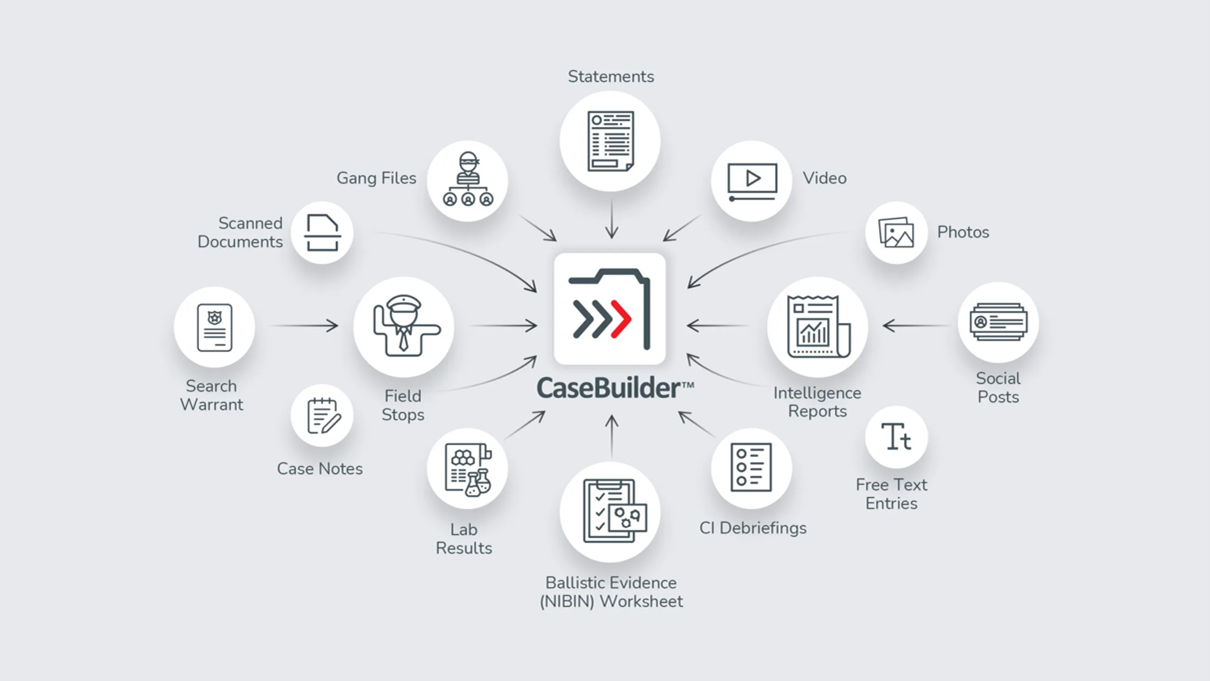
Organize and store case information in one structured, secure and searchable digital case folder.

Icon M handshake collaborate icon

Detect relationships between people, places and evidence with analytical tools to solve cases faster.

Icon M regular magnifying glass icon

Collaborate with your department, other agencies and prosecutors, and get notified when additions are made to your case folder.

Icon M check tab interface icon

Guide different types of investigations with pre-configured and customizable checklists of action items.

Icon M pie chart icon

Manage staff caseload, see case status and get data for internal briefings with supervisory reports.
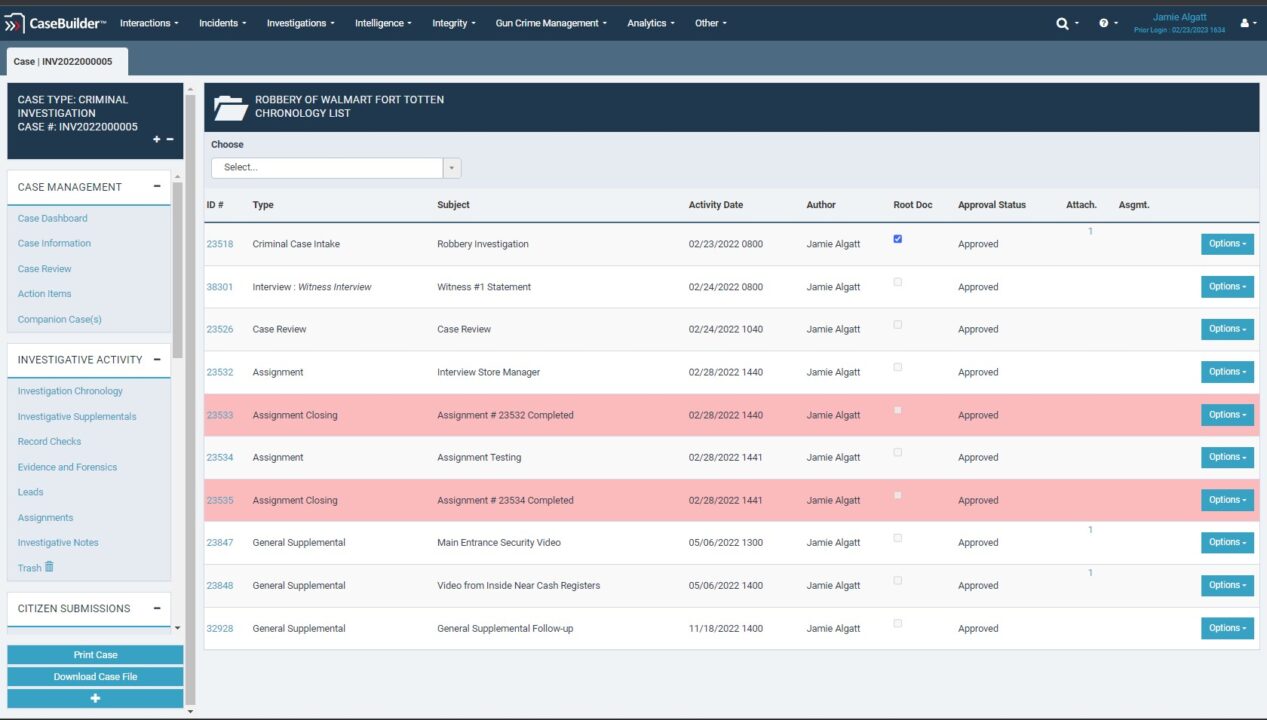
How CaseBuilder Works

1. Capture Everything in One Place

Easily create digital case folders and document investigative activities, scene details, observations, videos, images, notes and other attachments into one central source of truth.

3 Considerations When Choosing the Best Investigation Management Software

1.

Capture Everything in One Place

Easily create digital case folders and document investigative activities, scene details, observations, videos, images, notes and other attachments into one central source of truth.

2.

Organize Instantly

Automatically create a searchable, chronological case index and guide investigations with pre-configured, customizable checklists to ensure consistency with agency standards.

3.

Solve Cases Faster

Quickly gain insights with link analysis to connect seemingly unrelated details.

4.

Get Courtroom-Ready

Automatically route casework through approval processes and develop interactive presentations for court via case folder dashboard.

5.

Import

CrimeTracer leads into CaseBuilder with one click.

CASEBUILDER IMPACT

Impact on Homicide Case Clearance Rate

Is Your Investigation Management Software as Smart as CaseBuilder?

  • Case Chronology
  • Link Analysis
  • Property and Evidence
  • Confidential Informant Management
  • Criminal Enterprise Management
  • Tip Corroboration
  • Organized Crime Ring Insights
  • Collaboration Tools
  • Active Case Load
  • ShotSpotter Integration
  • NIBIN Lead Management
  • Publish Case for DA
  • Audit Trail
  • Unlimited Users
  • Mobile Ready
  • Secure and Compliant
  • 24/7/356 Support

CaseBuilder FAQs

CaseBuilder®

Webinar: After 48 Hours: The Art and Science of a Gun Crime Investigation - Part Two

Watch Now

Resources

  • CaseBuilder Datasheet

Visit the Resource Center
Icon M contact user type speech bubble icon

Improve Your Clearance Rate with CaseBuilder

Contact Us to Learn More